400 Years of Logarithms

The logarithm was first presented in John Napier’s 1614 book Mirifici Logarithmorum Canonis Descriptio (Description of the Wonderful Canon of Logarithms). Last week I was celebrating 400 years of logarithms at the Napier 400 workshop held at the ICMS in Edinburgh and organized by NAIS. The previous such celebrations had been in 1914 and, as one speaker remarked, it is nice to participate in an event held only once every 100 years.

This one-day workshop included talks by Mike Giles on computing logarithms and other special functions on GPUs, and Jacek Gondzio on the history of the logarithmic barrier function in linear and nonlinear optimization.

My interest is in the matrix logarithm. The earliest explicit occurrence that I am aware of is in an 1892 paper by Metzler On the Roots of Matrices, so we are only just into the second century of matrix logarithms.

140402-1631-24-111.jpg
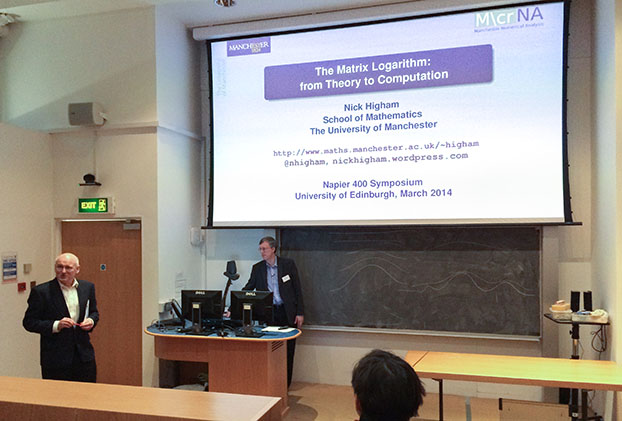
Photo and Tweet by @DesHigham: “@nhigham introduced by Dugald Duncan at @ICMS_Edinburgh”.

In my talk The Matrix Logarithm: from Theory to Computation I explained how the inverse scaling and squaring (ISS) algorithm that we use today to compute the matrix logarithm is a direct analogue of the method Henry Briggs used to produce his 1624 tables Arithmetica Logarithmica, which give logarithms to the base 10 of the numbers 1–20,000 and 90,000–100,000 to 14 decimal places. Briggs’s impressive hand computations were done by using the formulas \log a = 2^k \log a^{1/2^k} and \log(1+x) \approx x to write \log_{10} a \approx 2^k \cdot \log_{10}e \cdot (a^{1/2^k} - 1). The ISS algorithm for the matrix case uses the same idea, with the square roots being matrix square roots, but approximates \log(1+x) at a matrix argument using Padé approximants, evaluated using a partial fraction expansion. The Fréchet derivative of the logarithm can be obtained by Fréchet differentiating the formulas used in the ISS algorithm. For details see Improved Inverse Scaling and Squaring Algorithms for the Matrix Logarithm (2012) and Computing the Fréchet Derivative of the Matrix Logarithm and Estimating the Condition Number (2013).

As well as the logarithm itself, various log-like functions are of interest nowadays. One is the unwinding function, discussed in my previous post. Another is the Lambert W function, defined as the solution W(z) of W(z) e^{W(z)} = Z. Its many applications include the solution of delay differential equations. Rob Corless and his colleagues produced a wonderful poster about the Lambert W function, which I have on my office wall. Cleve Moler has a recent blog post on the function.

A few years ago I wrote a paper with Rob, Hui Ding and David Jeffrey about the matrix Lambert W function: The solution of S exp(S) = A is not always the Lambert W function of A. We show that as a primary matrix function the Lambert W function does not yield all solutions to S \exp(S) = A, just as the primary logarithm does not yield all solutions to e^X = A. I am involved in some further work on the matrix Lambert W function and hope to have more to report in due course.

Making Sense of Multivalued Matrix Functions with the Matrix Unwinding Function

Try the following quiz. Let A be an n\times n real or complex matrix. Consider the principal logarithm—the one for which \log z has imaginary part in (-\pi,\pi]—and define z^{t} = e^{t \log z} for t\in\mathbb{C} (an important special case being t = 1/p for an integer p) .

True or false:

  1. \log e^A = A for all A, in other words passing A through the exponential then the logarithm takes us on a round trip.
  2. (I-A^2)^{1/2} = (I-A)^{1/2}(I+A)^{1/2} for all A.
  3. (AB)^{t} = A^{t}B^{t} whenever A and B commute.

The answers are

  1. False. Yet e^{\log A} = A is always true.
  2. True. Yet the similar identity (A^2-I)^{1/2}=(A-I)^{1/2}(A+I)^{1/2} is false.
  3. False.

At first sight these results may seem rather strange. How can we understand them? If you take the viewpoint that each occurrence of \log and a power t in the above expressions stands for the families of all possible logarithms and powers then the identities are all true. But from a computational viewpoint we are usually concerned with a particular branch of each function, the principal branch, so equality cannot be taken for granted.

An excellent tool for understanding these identities is a new matrix function called the matrix unwinding function. This function is defined for any square matrix A by U(A) = (A - \log e^A )/(2\pi i), and it arises from the scalar unwinding number introduced by Corless, Hare and Jeffrey in 1996 1, 2. There is nothing special about A and B being matrices in this quiz; the answers are the same if they are scalars. But the matrix unwinding function neatly handles the extra subtleties of the matrix case.

130712-1101-57-2430.jpg
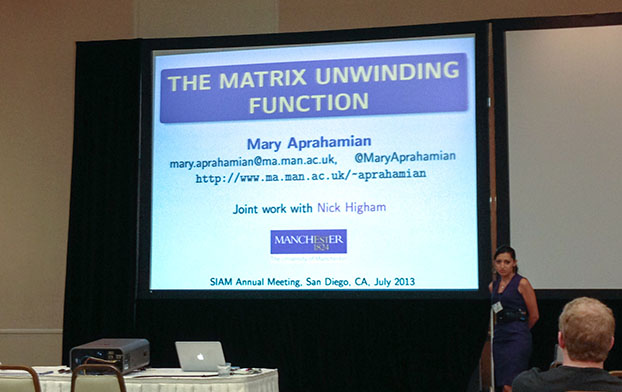
Mary’s talk at the 2014 SIAM Annual Meeting in San Diego.

From the definition we have \log e^A = A + 2\pi i U(A), so the relation in the first quiz question is clearly valid when U(A) = 0, which is the case when the eigenvalues of A have imaginary parts lying on the interval (-\pi,\pi]. Each of the above identities can be understood by deriving an exact relation in which the unwinding function provides the discrepancy between the left and right-hand sides. For example,

(AB)^t = A^t B^t e^{-2\pi t i U(\log A + \log B)}.

Mary Aprahamian and I have recently published the paper The Matrix Unwinding Function, with an Application to Computing the Matrix Exponential, (SIAM J. Matrix. Anal. Appl., 35, 88-109, 2014), in which we introduce the matrix unwinding function and develop its many interesting properties. We analyze the identities discussed above, along with various others. Thanks to the University of Manchester’s Open Access funds, that paper is available for anyone to download from the SIAM website, using the given link.

The matrix unwinding function has another use. Note that e^A=e^{\log e^A}=e^{A-2\pi i U(A)} and the matrix A-2\pi i U(A) has eigenvalues with imaginary parts in (-\pi,\pi]. The scaling and squaring method for computing the matrix exponential is at its most efficient when A has norm of order 1, and this argument reduction operation tends to reduce the norm of A when A has eigenvalues with large imaginary part. In the paper we develop this argument reduction and show that it can lead to substantial computational savings.

How can we compute U(A)? The following incomplete MATLAB code implements the Schur algorithm developed in the paper. The full code is available.

function U = unwindm(A,flag)
%UNWINDM  Matrix unwinding function.
%   UNWINDM(A) is the matrix unwinding function of the square matrix A.

%   Reference: M. Aprahamian and N. J. Higham.
%   The matrix unwinding function, with an application to computing the
%   matrix exponential.  SIAM J. Matrix Anal. Appl., 35(1):88-109, 2014.

%   Mary Aprahamian and Nicholas J. Higham, 2013.

if nargin < 2, flag = 1; end
[Q,T] = schur(A,'complex');

ord = blocking(T);
[ord, ind] = swapping(ord);  % Gives the blocking.
ord = max(ord)-ord+1;        % Since ORDSCHUR puts highest index top left.
[Q,T] = ordschur(Q,T,ord);
U = Q * unwindm_tri(T) * Q';

%%%%%%%%%%%%%%%%%%%%%%%%%%%
function F = unwindm_tri(T)
%UNWINDM_tri   Unwinding matrix of upper triangular matrix.

n = length(T);
F = diag( unwind( diag(T) ) );

% Compute off-diagonal of F by scalar Parlett recurrence.
for j=2:n
     for i = j-1:-1:1
         if F(i,i) == F(j,j)
            F(i,j) = 0;        % We're within a diagonal block.
         else   
            s = T(i,j)*(F(i,i)-F(j,j));
            if j-i >= 2
               k = i+1:j-1;
               s = s + F(i,k)*T(k,j) - T(i,k)*F(k,j);
            end
            F(i,j) = s/(T(i,i)-T(j,j));
         end
     end   
end

%%%%%%%%%%%%%%%%%%%%%%
function u = unwind(z)
%UNWIND  Unwinding number.
%   UNWIND(A) is the (scalar) unwinding number.

u = ceil( (imag(z) - pi)/(2*pi) );

... Other subfunctions omitted

Here is an example. As it illustrates, the unwinding matrix of a real matrix is usually pure imaginary.

>> A = [1 4; -1 1]*4, U = unwindm(A)
A =
     4    16
    -4     4
U =
   0.0000 + 0.0000i   0.0000 - 2.0000i
   0.0000 + 0.5000i  -0.0000 + 0.0000i
>> residual = A - logm(expm(A))
residual =
   -0.0000   12.5664
   -3.1416   -0.0000
>> residual - 2*pi*i*U
ans =
   1.0e-15 *
  -0.8882 + 0.0000i   0.0000 + 0.0000i
  -0.8882 + 0.0000i  -0.8882 + 0.3488i

Footnotes:

1

Robert Corless and David Jeffrey, The Unwinding Number, SIGSAM Bull 30, 28-35, 1996

2

David Jeffrey, D. E. G. Hare and Robert Corless, Unwinding the Branches of the Lambert W Function, Math. Scientist 21, 1-7, 1996

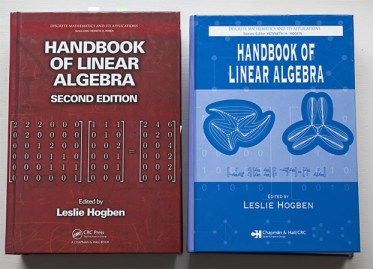
Second Edition (2014) of Handbook of Linear Algebra edited by Hogben

One of the two or three largest books I have ever owned was recently delivered to me. The second edition of the Handbook of Linear Algebra, edited by Leslie Hogben (with the help of associate editors Richard Brualdi and G. W. (Pete) Stewart), comes in at over 1900 pages, 7cm thick and about half a kilogram. It is the same height and width, but much thicker than, the fourth edition of Golub and Van Loan’s Matrix Computations.

140302-1126-31-6120.jpg
140302-1132-20-6124.jpg

The second edition is substantially expanded from the 1400 page first edition of 2007, with 95 articles as opposed to the original 77. The table of contents and list of contributors is available at the book’s website.

The handbook aims to cover the major topics of linear algebra at both undergraduate and graduate level, as well as numerical linear algebra, combinatorial linear algebra, applications to different areas, and software.

The distinguished list of about 120 authors have produced articles in the CRC handbook style, which requires everything to be presented as a definition, a fact (without proof), an algorithm, or an example. As the author of the chapter on Functions of Matrices, I didn’t find this a natural style to write in, but one benefit is that it encourages the presentation of examples and the large number of illustrative examples is a characteristic feature of the book.

The 18 new chapters include

  • Tensors and Hypermatrices by Lek-Heng Lim
  • Matrix Polynomials by Joerg Liesen and Christian Mehl
  • Matrix Equations by Beatrice Meini
  • Invariant Subspaces by G. W. Stewart
  • Tournaments by T. S. Michael
  • Nonlinear Eigenvalue Problems by Heinrich Voss
  • Linear Algebra in Mathematical Population Biology and Epidemiology by Fred Brauer and Carlos Castillo-Chavez
  • Sage by Robert A. Bezer, Robert Bradshaw, Jason Grout, and William Stein

A notable absence from the applications chapters is network analysis, which in recent years has increasingly made use of linear algebra to define concepts such as centrality and communicability. However, it is impossible to cover every topic and in such a major project I would expect that some articles are invited but do not come to fruition by publication time.

The book is typeset in \LaTeX, like the first edition, but now using the Computer Modern fonts, which I feel give better readability than the font used previously.

A huge amount of thought has gone into the book. It has a 9 page initial section called Preliminaries that lists key definitions, a 51 page glossary, a 12 page notation index, and a 54 page main index.

For quite a while I was puzzled by index entries such as “50-12–17”. I eventually noticed that the second dash is an en-dash and realized that the notation means “pages 12 to 17 of article 50”. This should have been noted at the start of the index.

In fact my only serious criticism of the book is the index. It is simply too hard to find what you are looking for. For example, there is no entry for Gerhsgorin’s theorem, which appears on page 16-6. Nor is there one for Courant-Fischer, whose variational eigenvalue characterization theorem is on page 16-4. There is no index entry under “exponential”, but the matrix exponential appears under two other entries and they point to only one of the various pages where the exponential appears. The index entry for Loewner partial ordering points to Chapter 22, but the topic also has a substantial appearance in Section 9.5. Surprisingly, most of these problems were not present in the index to the first edition, which is also two pages longer!

Fortunately the glossary is effectively a high-level index with definitions of terms (and an interesting read in itself). So to get the best from the book use the glossary and index together!

An alternative book for reference is Bernstein’s Matrix Mathematics (second edition, 2009), which has an excellent 100+ page index, but no glossary. I am glad to have both books on my shelves (the first edition at home and the second edition at work, or vice versa—these books are too heavy to carry around!).

Overall, Leslie Hogben has done an outstanding job to produce a book of this size in a uniform style with such a high standard of editing and typesetting. Ideally one would have both the hard copy and the ebook version, so that one can search the latter. Unfortunately, the ebook appears to have the same relatively high list price as the hard copy (“unlimited access for $169.95”) and I could not see a special deal for buying both. Nevertheless, this is certainly a book to ask your library to order and maybe even to purchase yourself.

Cataloguing Software for Matrix Functions

I began working on functions of matrices just over thirty years ago, when I was an MSc student, my original interest being in the matrix square root. In those days relatively little research had been done on the topic and no software for evaluating matrix functions was generally available. Since then interest in matrix functions has grown greatly.

Functions of interest include the exponential, the logarithm, and real powers, along with all kinds of trigonometric functions and some less generally known functions such as the sign function and the unwinding function.

130410-1301-49-0762.jpg
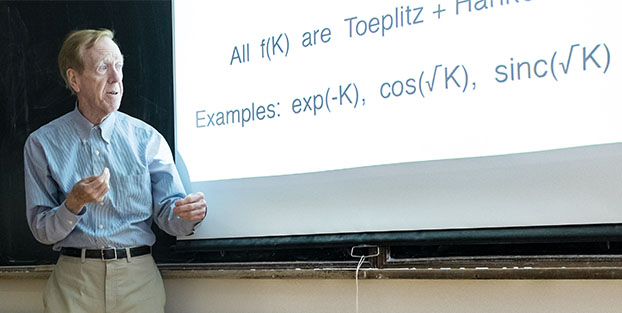
Gil Strang at the Advances in Matrix Functions and Matrix Equations Workshop in Manchester, April 2013.

A large amount of software for evaluating matrix functions now exists, covering many languages (C++, Fortran, Julia, Python, …) and problem solving environments (GNU Octave, Maple, Mathematica, MATLAB, R, Scilab, …). Some of it is part of a core product or package, while other codes are available individually on researchers’ web sites. It is hard to keep up with what is available.

Edvin Deadman and I therefore decided to produce a catalogue of matrix function software, which is available in the form of MIMS EPrint 2014.8. We have organized the catalogue by language/package and documented the algorithms that are implemented. The EPrint also contains a summary of the rapidly growing number of applications in which matrix functions are used, including some that we discovered only recently, and a list of what we regard as the best current algorithms.

Producing the catalogue took more work than I expected. Many packages are rather poorly documented and we sometimes had to delve deep into documentation or source code in order to find out which algorithms had been implemented.

One thing our survey shows is that the most complete and up to date collection of codes for matrix functions currently available is that in the NAG Library, which contains over 40 codes all implementing state of the art algorithms. This is no accident. We recently completed a three year Knowledge Transfer Partnership (KTP) funded by the Technology Strategy Board, the University of Manchester, and EPSRC, whose purpose was to translate matrix function algorithms into software for the NAG Engine (the underlying code base from which all NAG products are built) and to embed processes and expertise in developing matrix functions software into the company. Edvin was the Associate employed on the project and wrote all the codes, which are in Fortran.

A video about the KTP project been made by the University of Manchester and more information about the project can be obtained from Edvin’s posts at the NAG blog:

We intend to update the catalogue from time to time and welcome notification of errors and omissions.

How To Typeset an Ellipsis in a Mathematical Expression

In mathematical typesetting we often use an ellipsis (three dots) to denote omission in an expression. It’s well known to \LaTeX users that an ellipsis is not typed as three dots, but rather as \dots or \cdots. The vertically centered \cdots is used between operators that sit above the baseline, such as +, -, = and \le. Ground level dots are produced by \dots and are used in a list or to indicate a product.

Recently the question arose of whether to write

$a_1$, $a_2$, \dots, $a_n$

or

$a_1, a_2, \dots, a_n$

The difference between these two does not show up well if I allow WordPress to interpret the \LaTeX, but as this PDF file shows the first of these two alternatives produces more space after the commas.

I don’t discuss this question in my Handbook of Writing for the Mathematical Sciences, nor does the SIAM Style Guide offer an opinion (it implies that the copy editor should stet whatever the author chooses).

As usual, Knuth offers some good advice. On page 172 of the TeXbook he gives the example

The coefficients $c_1$, $c_2$, \dots, $c_n$ are positive.

the justification for which is that the commas belong to the sentence, not the formula. (He uses \ldots, which I have translated to \dots, as used in \LaTeX.) In Exercise 18.17 he notes that this is preferred to $c_1, c_2, \dots, c_n$ because the latter leaves too little space after the commas and also does not allow line breaks after the commas. But he notes that in a more terse example such as

Clearly $a_i<b_i$ \ $(i=1,2,\dots,n)$

the tighter spacing is fine. Indeed I would always write $i=1,2,\dots,n$, because $i=1$, $2$, \dots, $n$ would be logically incorrect. Likewise, there is no alternative in the examples

$D = \diag(d_1,d_2,\dots,d_n)$ 
$f(x_1,x_2,\dots,x_n)$

Looking back over my own writing I find that when typesetting a list within a sentence I have used both forms and not been consistent—and no copy editor has ever queried it. Does it matter? Not really. But in future I will try to follow Knuth’s advice.

A New Source of Data Errors: Scanning and Photocopying

In numerical analysis courses we discuss condition numbers as a means for measuring the sensitivity of the solution of a problem to perturbations in the data. Traditionally, we say there are three main sources of data errors:

  1. Rounding errors in storing the data on the computer. For example, the Hilbert matrix with (i,j) entry 1/(i+j-1) cannot be stored exactly in floating point arithmetic.
  2. Measurement errors. If the data comes from physical measurements or experiments then it will have inherent uncertainties, which could be quite large (perhaps of relative size 10^{-3}).
  3. Errors from an earlier computation. If the data for the given problem is the solution to another problem it will inherit errors from the previous problem.

Recently I learned of a fourth source of error: scanning and photocopying.

Traditionally, photocopiers were based on xerography, whereby electrostatic charges on a light sensitive photoreceptor are used to attract toner particles and then transfer them onto paper to form an image. Nowadays, photocopiers are more likely to comprise a combined scanner and printer, as for example in consumer all-in-one devices.

Last year, German computer scientist David Kriesel discovered that the Xerox WorkCentre 7535 and 7556 machines can jumble up different areas in a scan. In particular, he found an example where many occurrences of the digit “6” are replaced by “8” during the scanning process. See his blog post.

It seems that the Xerox scanners in question use the JBIG2 compression algorithm (a specialized version of JPEG), which segments the image into patches and uses pattern matching, and that the default parameters used were not a good choice because they can lead to these serious errors. Xerox subsequently released software patches.

One would not imagine that scanning on today’s high resolution machines could change whole blocks of pixels. Given the wide range of uses of scanners, including transmission of exam marks, financial information, and engineering specifications, as well as the ubiquitous digitizing of historic documents including journal articles, this is very disturbing.

The problem of mangled scans may not be limited to Xerox machines, as other reports show (see this post and this post).

The motto of the story is: run sanity checks on your scanned data and do not assume that scans (or the results of optical character recognition on them) are accurate!

Matrix Functions Course at Gene Golub SIAM Summer School 2013

As described in a previous blog post, I gave a course on matrix functions at the Gene Golub SIAM Summer School in Shanghai last July. Summer Schools are regularly held in Shanghai and it has been traditional to produce a booklet with summaries of the courses delivered. The organizers therefore asked the speakers at the Golub Summer School to provide a summary of their courses.

I have written a summary, jointly with my postdoctoral research associate Lijing Lin, who acted as TA for the course. It is available as Matrix Functions: A Short Course (MIMS EPrint 2013.73). You can also access the other materials for the course.

In 2005 I interviewed Gene Golub when he visited Manchester. A transcription of the interview is available as An Interview with Gene Golub (MIMS EPrint 2008.8).

If you didn’t have the chance to meet Gene the interview will give you some insight into his career and the early history of numerical linear algebra. Here is a photo of Gene that I took after the interview.

050703-1937-36.jpg
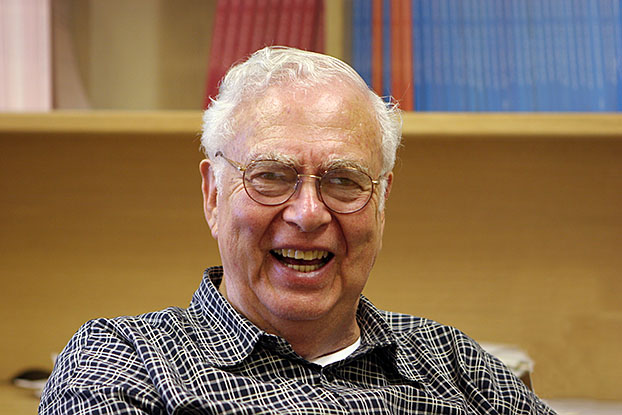
Gene Golub, July 2005 by Nick Higham.

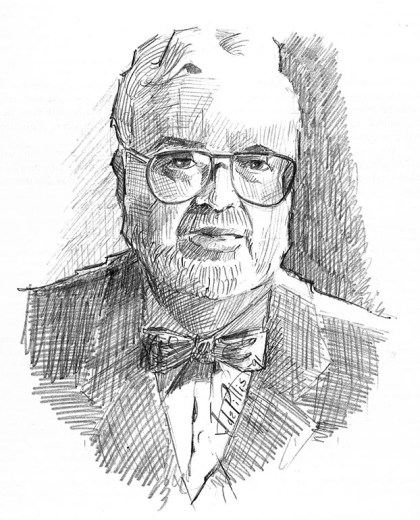
The sketch below is by John de Pillis, a Professor of Mathematics at the University of California, Riverside. John is a talented sketcher and cartoonist and his 777 Mathematical Conversation Starters is full of cartoons, stories, and quotes. It includes a quote from Gene:

Most problems in scientific computing eventually lead to solving a
matrix equation.

golub-1991.jpg
Gene Golub by John de Pillis, 1991.

More LaTeX and Beamer Tips

Following my earlier posts Top 5 Beamer Tips and Fine-Tuning Spacing in LaTeX Equations I offer four further tips that I’ve been using over the last few months.

1. Platform-independent specification of paths

I use both Windows and Mac machines and want my LaTeX files to run equally well on both. The only difficulty arises when a file is included from another directory (usually a PDF or jpeg file or a program listing). If the file name is specified relative to the current location then forward slash syntax can be used and works on both Mac and Windows. For example

\includegraphics[width = 8cm]{../figs/fig1.pdf}

However, if files are being pulled in from many different directories it can be tedious to specify relative paths and absolute paths are preferable. The problem is that the home directory is system-dependent. My solution is to use the ifplatform package as follows:

\usepackage{ifplatform}
...
\ifwindows\def\home{d:/}\else\def\home{/Users/nick/}\fi
%              Windows            Mac or Linux
...
\includegraphics[width = 8cm]{\home/tex/figs/fig1.pdf}

The \ifwindows construct sets up \home, which is then used as the prefix to the paths of the files to be included. (I initially tried using \home{~} for the Mac, but could not find a way of making this work, since LaTeX interprets the tilde as a hard space.)

2. Spacier Lists

If a Beamer slide consists mostly of a list and has lots of space below the list it can aid readability if the list is opened up a little, by increasing the spacing between items. This can be done as follows:

\begin{itemize}
\setlength{\itemsep}{10pt}  % Adjust to taste.

\item
...

\end{itemize}

3. Code listings

The standard verbatim environment does not look very good in Beamer, as the font it uses is rather thin. I prefer to use the Verbatim environment provide by fanycvrb, which allows me to customize the font style and color:

\usepackage{fancyvrb}
\begin{Verbatim}[fontseries=b,formatcom=\blue]
...
\end{Verbatim}

This example uses a bold font in blue. Lots of other options are available for customizing the way the Verbatim environment is rendered.

4. Emacs-RefTeX Table of Contents

In Emacs, with the RefTeX package, the command reftex-toc produces a table of contents for a LaTeX document, allowing navigation by sectional unit. By default, this command does not know about Beamer. You can tell reftex-toc about Beamer frames by adding the following to your .emacs, after (require 'reftex):

  (setq reftex-section-levels
  (append '(("begin{frame}" . -3) ) reftex-section-levels))

This works even if the frame title is set with the \frametitle command.

1980s Microcomputers and the LINPACK Benchmark

As an undergraduate and postgraduate student in the early 1980s I owned a Commodore Pet microcomputer and then a Commodore 64. Both came with Basic built into ROM. On booting the machines you were presented with a flashing cursor and could type in programs to be executed by the Basic interpreter or load programs from cassette or disk.

I used the machines in my research on matrix computations, writing many programs in Basic and Comal (a more structured, Pascal-like version of Basic, originating in Denmark).

Recently, I was looking for information about the microprocessors used in the early microcomputers. I could not find what I wanted, but remembered that some relevant information is contained in the appendices of a technical report Matrix Computations in Basic on a Microcomputer that I wrote in 1985 (the published version 1 omits the appendices). Specifically, the appendices contain

  • specifications of the Commodore 64, the BBC Microcomputer Model B and Model B with Torch Z-80 second processor, and the Amstrad CPC-64,
  • examples of 6502 assembly language programs for the Commodore 64 and the BBC Model B,
  • Basic and Comal programs for the above machines.

As these are of some historical interest I have scanned the technical report and made it available as a MIMS EPrint. I still have the original hard copy, which was produced on the Commodore 64 itself using a wordprocessor called Vizawrite 64 and printed on an Epson FX-80 dot matrix printer, taking advantage of the printer’s ability to produce subscripts. These were the days before TeX was widely available, and looking back I am surprised that I was able to produce such a neatly formatted document, with tables and program listings. Just printing it must have taken a few hours. Vizawrite was the last wordprocessor I have used seriously, and adapting Tony Hoare’s quote about Algol I would say that it was “so far ahead of its time that it was not only an improvement on its predecessors but also on nearly all its successors”.

The purpose of the report was to convert the LINPACK Fortran linear equation solvers SGEFA/SGESL to Basic and run them on the four machines mentioned above. I found that the cost of the computations was dominated by subscripting calculations and not the floating point arithmetic. I therefore translated the Basic Linear Algebra Subprograms (BLAS) that are called by the codes into assembly language for the Commodore and BBC machines and obtained significant speedups, due to removal of the subscripting overheads.

music-master.jpg

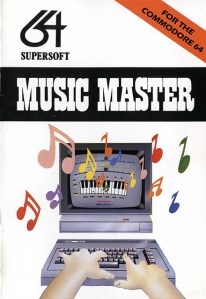
Writing in assembly language is very different from writing in a high-level language, because the available operations are so simple: load the contents of a memory location into the accumulator, increment or decrement by one the value stored in a memory location, and so on. Fortunately, when I started this project I already had experience of writing 6502 assembly language as I had used it in my Music Master program for the Commodore 64 published by Supersoft. And I had the excellent Mikro Assembler cartridge for the Commodore 64 that made developing assembly code as easy and enjoyable as it could be.

The LINPACK routines that I translated are the ones originally used for the LINPACK benchmark that has been used since the 1980s to measure the speed of the world’s fastest computers. Based on the timings in my article extrapolated to 100 by 100 matrices, here is a table comparing the speed in megaflops of the Commodore and BBC machines with that of two recent low-end computers:

Machine Year Megaflops
Commodore 64 (Basic + machine code) 1985 0.0005
BBC Model B (Basic + machine code) 1985 0.0008
iPad 2 (data from Jack Dongarra) 2011 620
Raspberry Pi 2013 42

Footnotes:

1

N. J. Higham. Matrix computations in Basic on a microcomputer. IMA Bulletin, 22:13-20, 1986.

Solutions to Some Emacs Problems

I’ve been using Emacs exclusively for a couple of years, on both Windows and Mac machines. Prior to that I had used it intermittently, mainly on Unix machines, for over 20 years.

In setting up and customizing Emacs I’ve hit a few Emacs problems whose solutions were not easily found on the web. I’m listing my solutions here in the hope that others will find them useful. The issues covered here are very specific. I’ll be writing about aspects of Emacs of more general interest in the future.

Copy and Paste Problems on Mac

I encountered an intermittent problem on the Mac, originally when exporting from Org mode, giving the strange error

"quit: pasteboard doesn't contain valid data"

This error was then produced every time I did a kill (copy) or yank (paste). Pasting anything from another app (say Firefox) seemed to cure the problem, at least for a while. I eventually tracked the problem down to this configuration line that I’d put in my .emacs:

(setq save-interprogram-paste-before-kill nil)

Making that code execute only when Emacs is running under Windows cured the problem.

Executables

On Windows I had trouble getting Emacs to find the git executable, despite the relevant directory being on the exec-path. In the end I had to set, in my .emacs,

(custom-set-variables
...
 '(magit-git-executable "c:\\program files (x86)\\git\\bin\\git.exe")
 '(vc-git-program "c:\\program files (x86)\\git\\bin\\git.exe")
...)

I run git from magit; the second of those lines is needed for vc-annotate.

System Name

In my .emacs I set the Emacs window size based on the system-name variable, as I want a different window size for a laptop versus a large desktop screen. When travelling I’ve found that the window on my MacBook Pro sometimes opens too large and looks very strange, with a missing top line of the window. It seems that being on different wireless networks can change the value of system-name. I have not found a solution, other than to resize the window with the mouse when Emacs starts.

Take Command Shell

On Windows, I use the excellent Take Command shell instead of the CMD shell that comes with Windows. In order to get LaTeX to work as I wanted I needed to tell Emacs to use this shell:

(setq TeX-shell "d:/tcmd/tcc.exe")